1. Accessing the review system
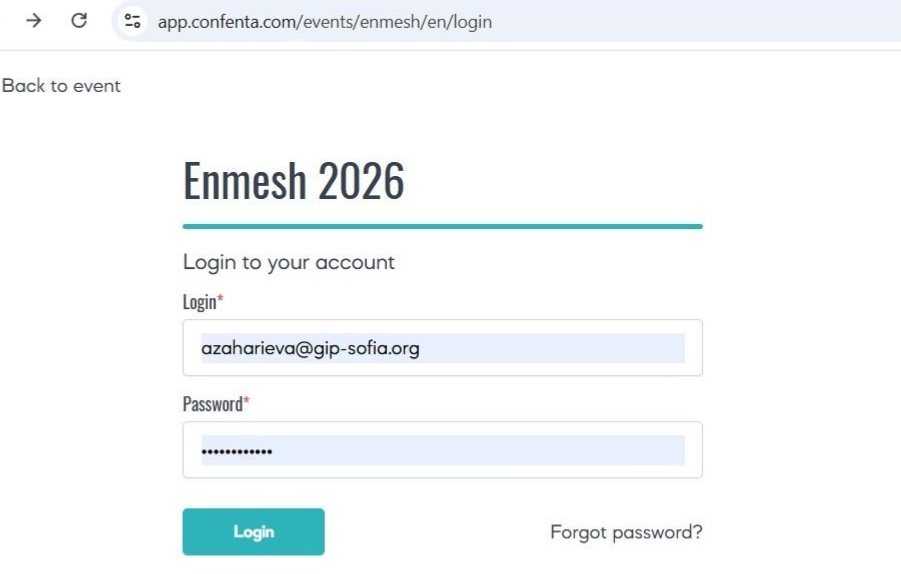
Once reviewer accounts are activated, you will receive an automated email containing:
- a direct login link to the ENMESH 2026 abstract management system - https://app.confenta.com/events/enmesh/cp/abstracts, after which you will be redirected to the log in page: https://app.confenta.com/events/enmesh/en/login;
- your username (registered email address in the e-form for declaring an interest that you have provided);
- a temporary password.
Please, note that if you have already submitted an abstract to ENMESH 2026, you do not need new credentials. You may log in using the same username and password you received at the time of abstract submission.
If your password doesn't work, or you don't remember it, you can reset your password by URL https://app.confenta.com/events/enmesh/en/forgot-password
If you experience any other difficulties logging in, please contact the Conference Secretariat at info@enmesh2026.eu.
2. Main Screen
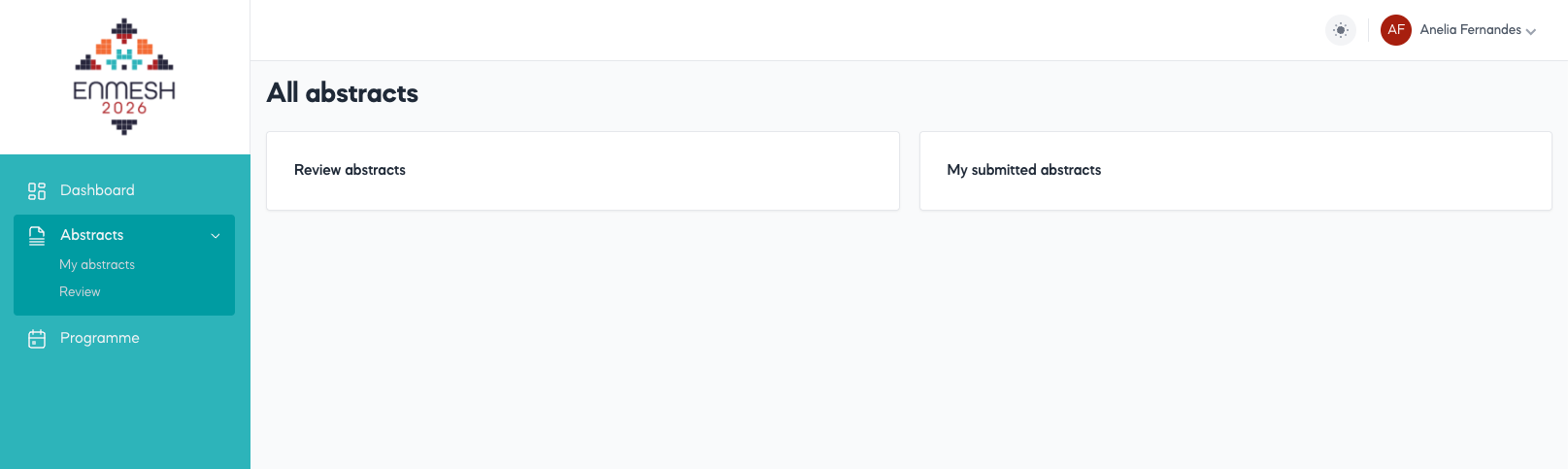
After logging in, you will be taken to an initial screen at https://app.confenta.com/events/enmesh/cp, containing headings, titled:
- Abstracts (subheading: Review abstracts).
- If you have already submitted an abstract(s), you will also see a section subheading “My submitted abstracts"
- And on the left pane, highlighted in green, there is a menu called Abstracts with a drop-down list with 2 items: “My abstracts”(if you have submitted any) and “Review”.
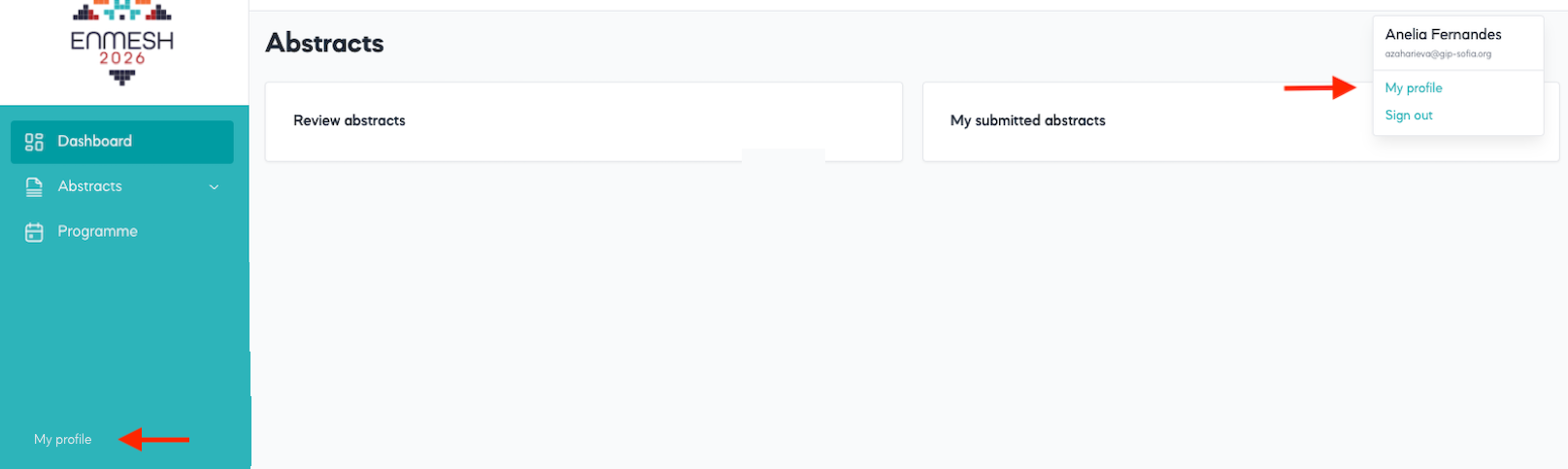
You may want to change your password for security or convenience reasons. This could be done through “My profile” section – located on the upper right corner of the screen and also at the bottom of the left-hand sidebar.
3. Reviewer dashboard
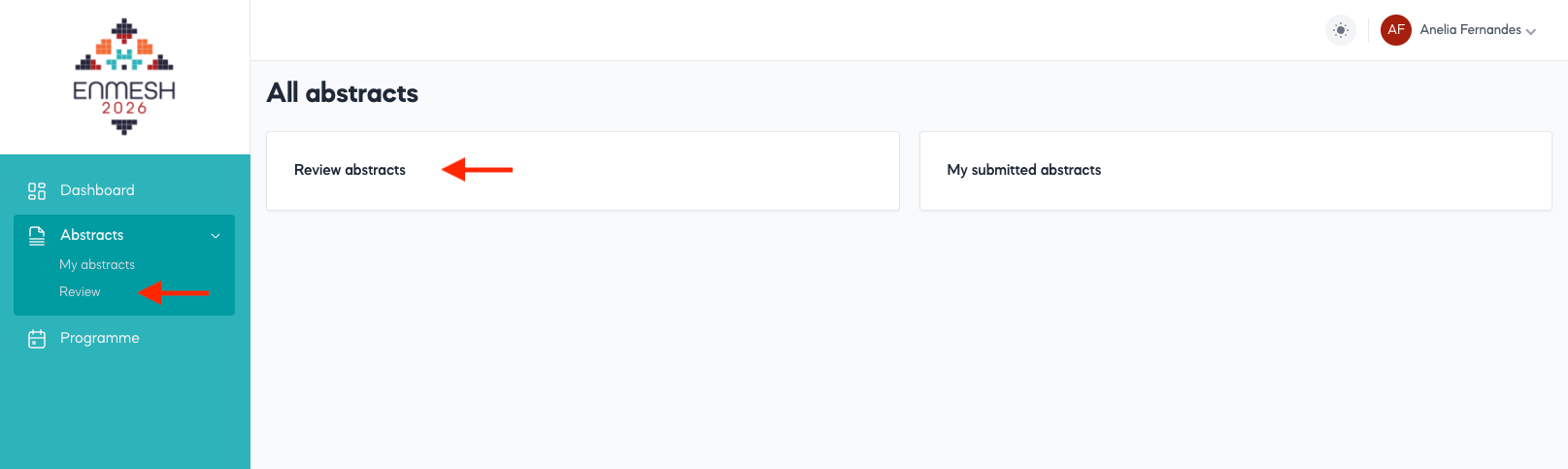
In order to access your Reviewer Dashboard, you should either click on the button headed “Review abstracts” at the central part of the screen (slightly on the left) or by selecting “Review” from the drop-down list on the left sidebar.
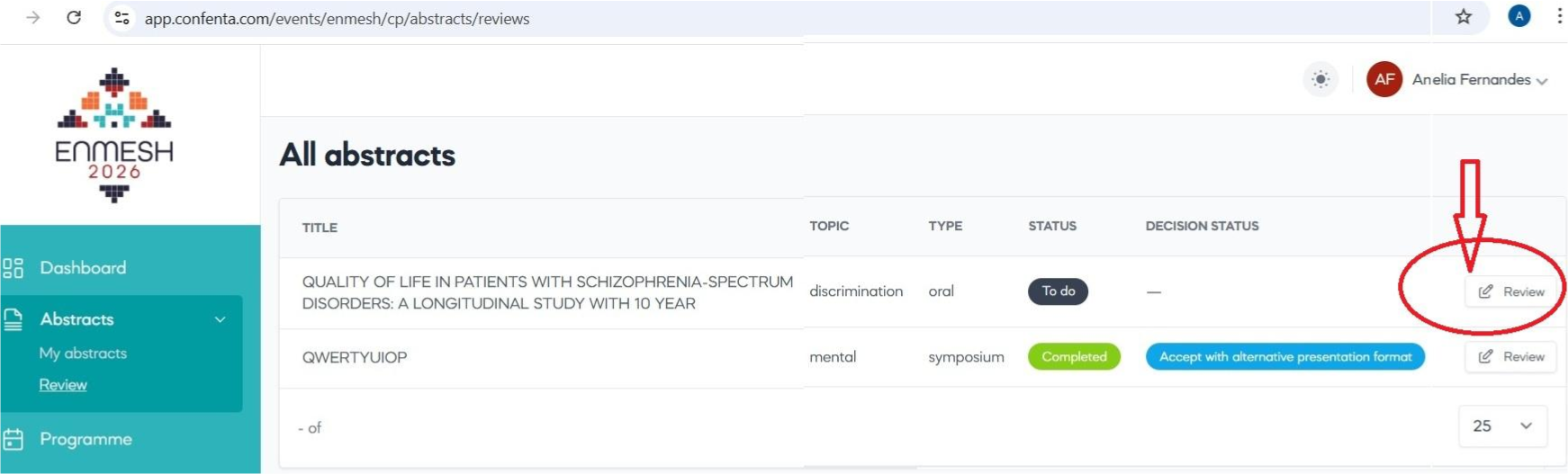
Then you will land upon your Reviewer Dashboard, where you will see a list of abstracts assigned to you for review, as well as their basic characteristics:
- theme – the main thematic area as per the conference highlights:
Mental health in times of war and trauma;
Digitalization and AI in mental health services and research;
Discrimination, equality and human rights;
Innovations in the evaluation of mental health services;
Other; - type (poster, oral presentation, symposium);
- the current status of each review (to do / completed);
- decision status, allocated by you, as follows:
- a horizontal line (“ – “) – no decision has been made yet;
- accepted;
- rejected;
- accept with another presentation format.
Please, bear in mind that only abstracts allocated to you will be visible.
4. Reviewing an abstract
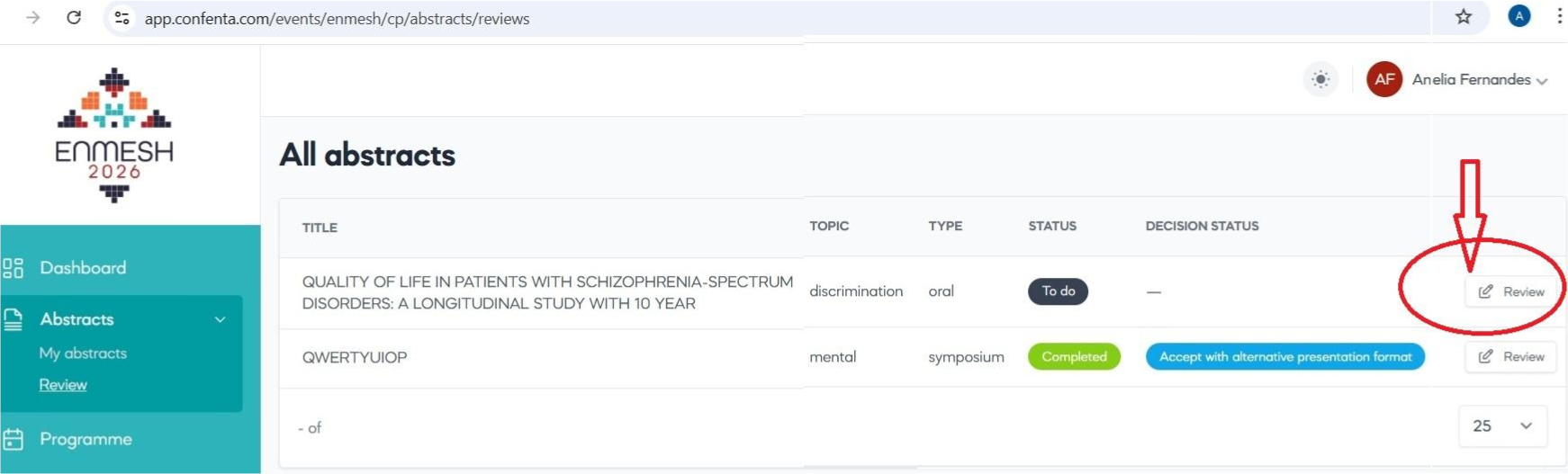
In order to review an abstract, you need to select the “Review” action button against the respective abstract (see the red arrow above). You can edit your review at any time before confirming to the organizers that your review is complete by selecting the “Review” action button again.
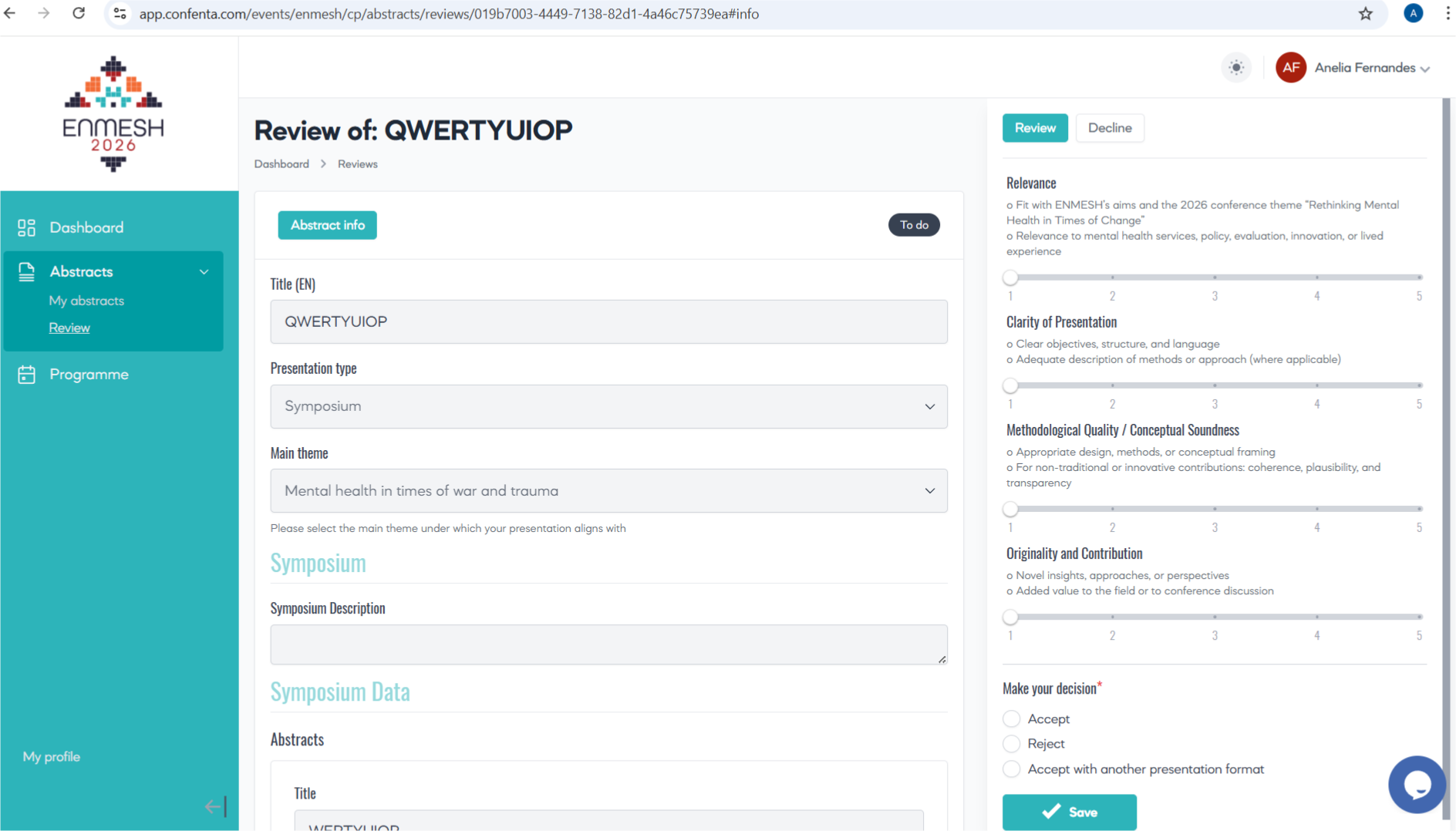
For each assigned abstract, you will be able to:
- view the title, abstract text, presentation type, and thematic area;
- assess the submission according to the ENMESH review criteria outlined in the Reviewers Guide;
- assign scores for each criterion using a numeric (5-point) scale;
- make a recommendation by selecting one of the following options:
- Accept;
- Reject;
- Accept with another presentation format – should you select this option, a Comment field will open where you will be able to present your concerns and recommendations. This comment will be visible only to the managers.
5. Conflicts of interest
All known conflicts declared in advance will be taken into account during allocation.
However, if you identify a conflict of interest (e.g. personal, professional, or institutional connection with the authors or the work), please do not proceed
with the review. Inform the Conference Secretariat immediately so the abstract can be reassigned.
6. Submitting the review
Once you have completed the scoring and selected your recommendation, please click “Save”.
Only reviews that are saved will be visible to the Scientific Programme Committee and decision group.
7. Review period and deadlines
Review period: 12–31 January 2026
All assigned reviews should be completed and submitted by 31 January 2026, unless otherwise agreed individually.
8. Support and assistance
If you encounter technical difficulties, access problems, missing abstracts, or questions about the review process, please contact the Conference Secretariat at info@enmesh2026.eu. We will liaise with the technical team to resolve issues promptly.
Contacts
Useful Information
Contact details of the legal entity:
GIP–Sofia Ltd.
VAT: BG202318570
Address: 1 Maliovitsa Str., 1000 Sofia
Email: sofia@gip-global.org
Tel: +359 2 987 7875