
1. Accessing the review system
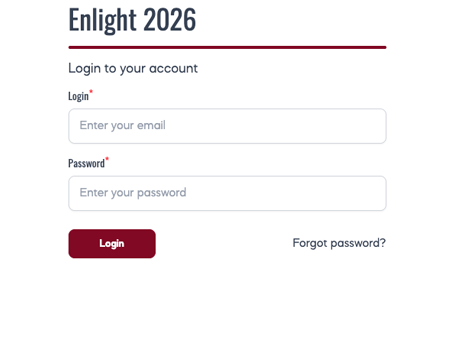
Once your reviewer account is activated, you will receive an automated email containing:
- a direct login link to the ENLIGHT T&L Conference 2026 abstract management system;
- your username (your university email address);
- a temporary password.
If your password doesn't work, or you don't remember it, you can reset your password.
If you experience any other difficulties logging in, please contact the ENLIGHT T&L Conference 2026 Team at events-enlight@unibe.ch.
The login page you'll be redirected to looks like the image you see on the right.
2. Main Screen
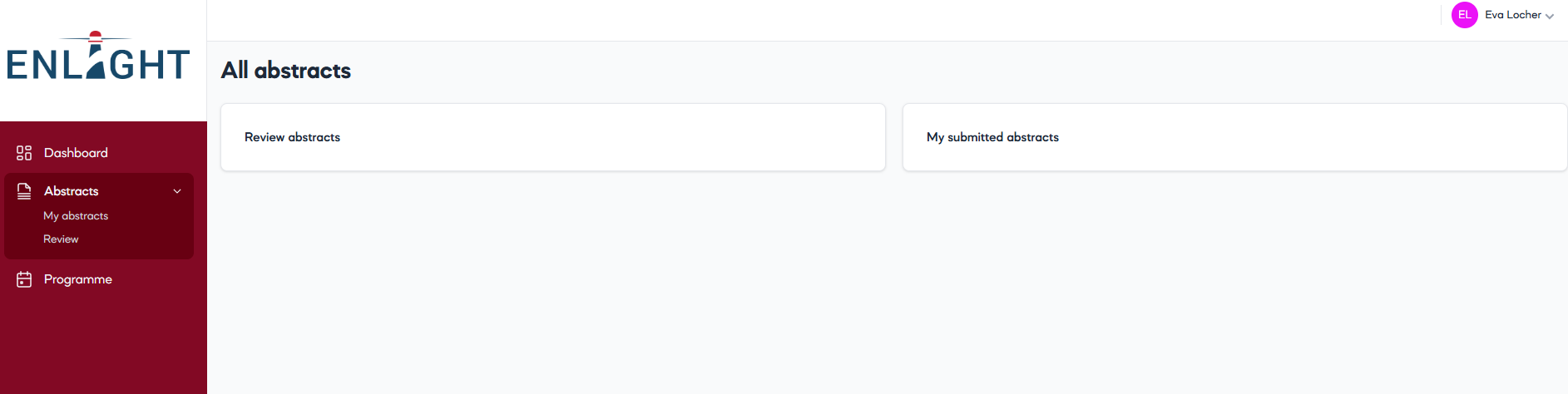
After logging in, you will be taken to the starting page. Here you will find:
- Dashboard
- Abstracts
- Programme (availabe from July)
- My profile
In the Abstracts section you will find 'Review abstracts' and 'My submitted abstracts' if you have submitted any.
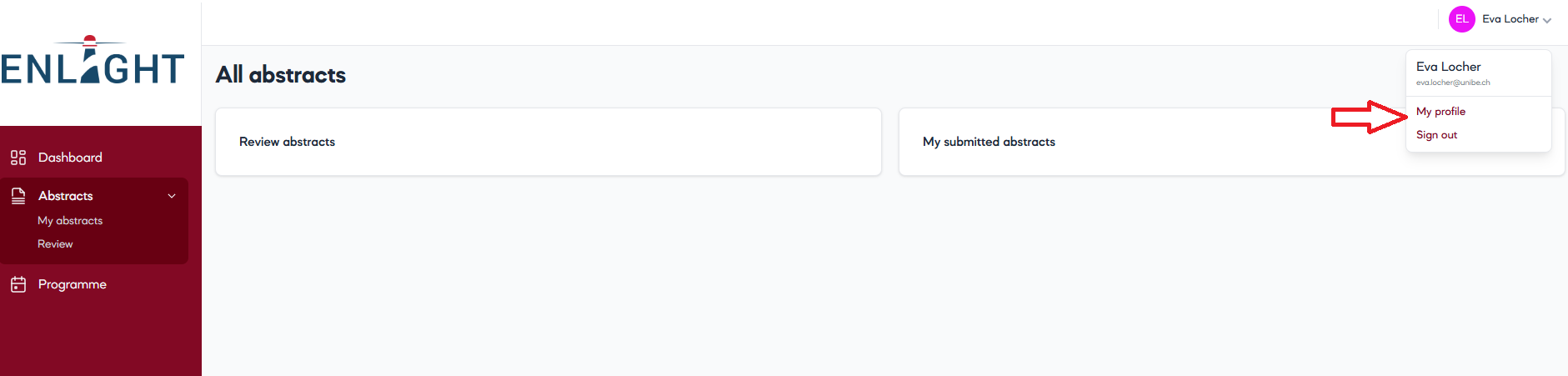
You can edit your profile in the 'My profile' section, located in the upper right corner of the screen and at the bottom of the left-hand sidebar.
You may want to change your password for security or convenience reasons. This can also be done in the 'My profile' section – located in the upper right corner of the screen and also at the bottom of the left-hand sidebar.
3. Reviewer dashboard
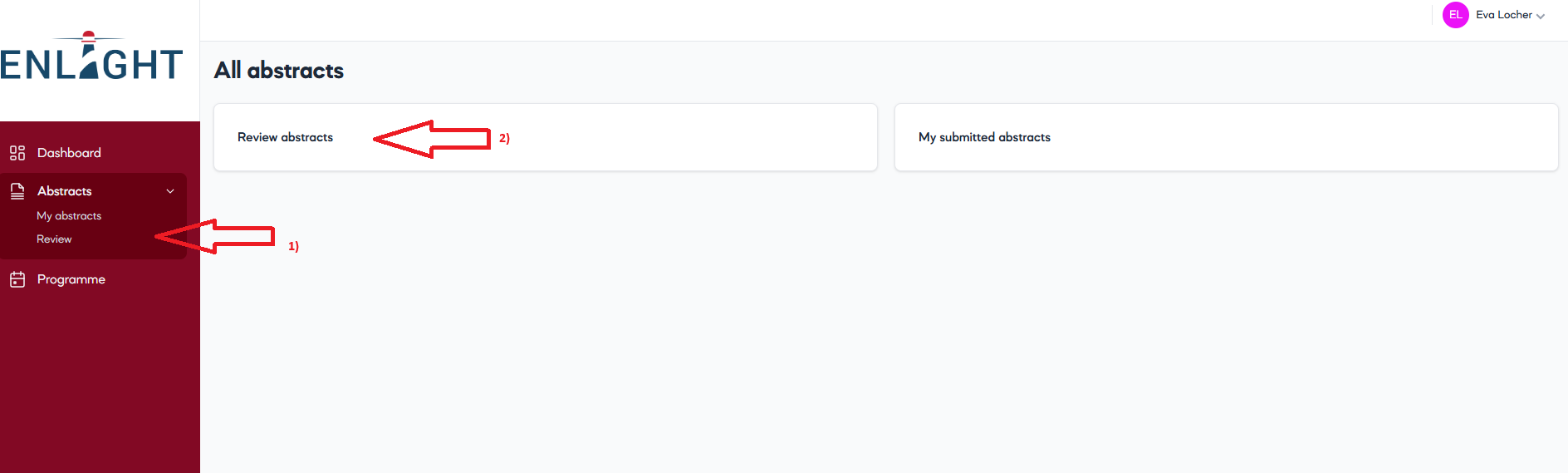
There are two ways to access your allocated abstracts. In the left-hand sidebar, click on 'Abstracts'. Then, either
1) click on 'Review' within the sidebar
2) click on the 'Review abstracts' button in the centre.
You will then land on your Reviewer Dashboard. Here you will see the abstracts assigned to you and the following information:
- Title
- Topic
- Type
- Status (to do / completed)
- Recommendation ('-' / accept / reject / accept with another presentation format)
Only abstracts allocated to you will be visible.
4. Reviewing an abstract
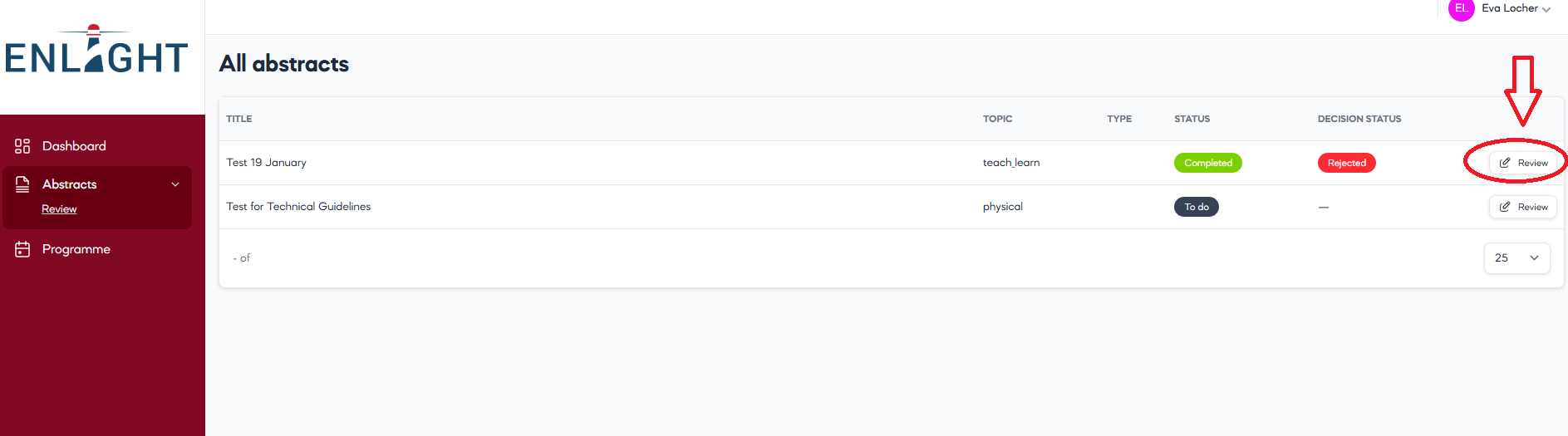
To review an abstract, select the 'Review' action button next to the respective abstract. To edit your review, you can click the 'Review' button again. Depending on your screen size, you may need to scroll to the right to see the button.
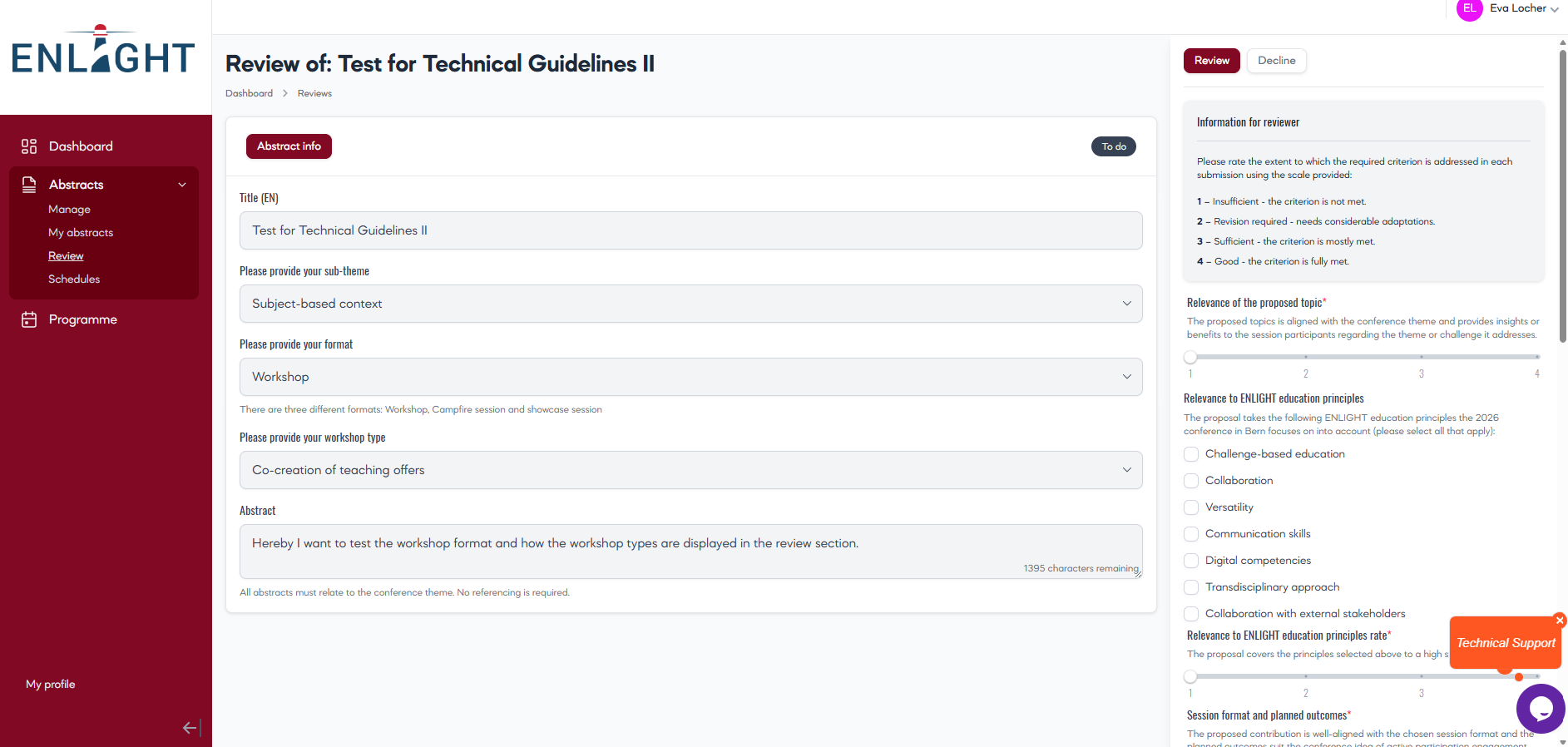
When you select an abstract, you will see the abstract info in the central pane (title, sub-theme, format, and abstract text).
In the right-pane, you can
- review or decline the abstract
- see the review criteria
- assign a score for each criterion
- enter your feedback to the author
- make a recommendation by selecting 'accept', 'reject', or 'accept with another presentation format'
- enter a comment.
Note: Your comments will be visible only to the Conference Team and will not be shared with the authors. Please add any other relevant thoughts and observations as well as the alternative format if you previously selected 'Accept with another presentation format'.
5. Conflicts of interest
If you identify a conflict of interest (e.g. a personal, professional, or institutional connection with the authors or the work), please do not proceed
with the review. Decline the abstract and inform the Conference Team (events-enlight@unibe.ch) immediately so that the abstract can be reassigned.
6. Submitting the review
Once you have completed the scoring and selected your recommendation, please click 'Submit'.
Only reviews that are submitted will be visible to the Conference Team.
7. Review period and deadlines
Review period: 14th April until 29th May 2026
All assigned reviews should be completed and submitted via 'submit' button by 29 May 2026 23:59 CET.
8. Support and assistance
If you encounter technical difficulties, access problems, missing abstracts, or questions about the review process, please contact the Conference Team at events-enlight@unibe.ch. We will liaise with the technical team to resolve issues as quickly as possible.
Contact
Organiser: events-enlight@unibe.ch
IT Help: helpdesk@onlineexpo.com
Photo Credits: © University of Bern